Settings
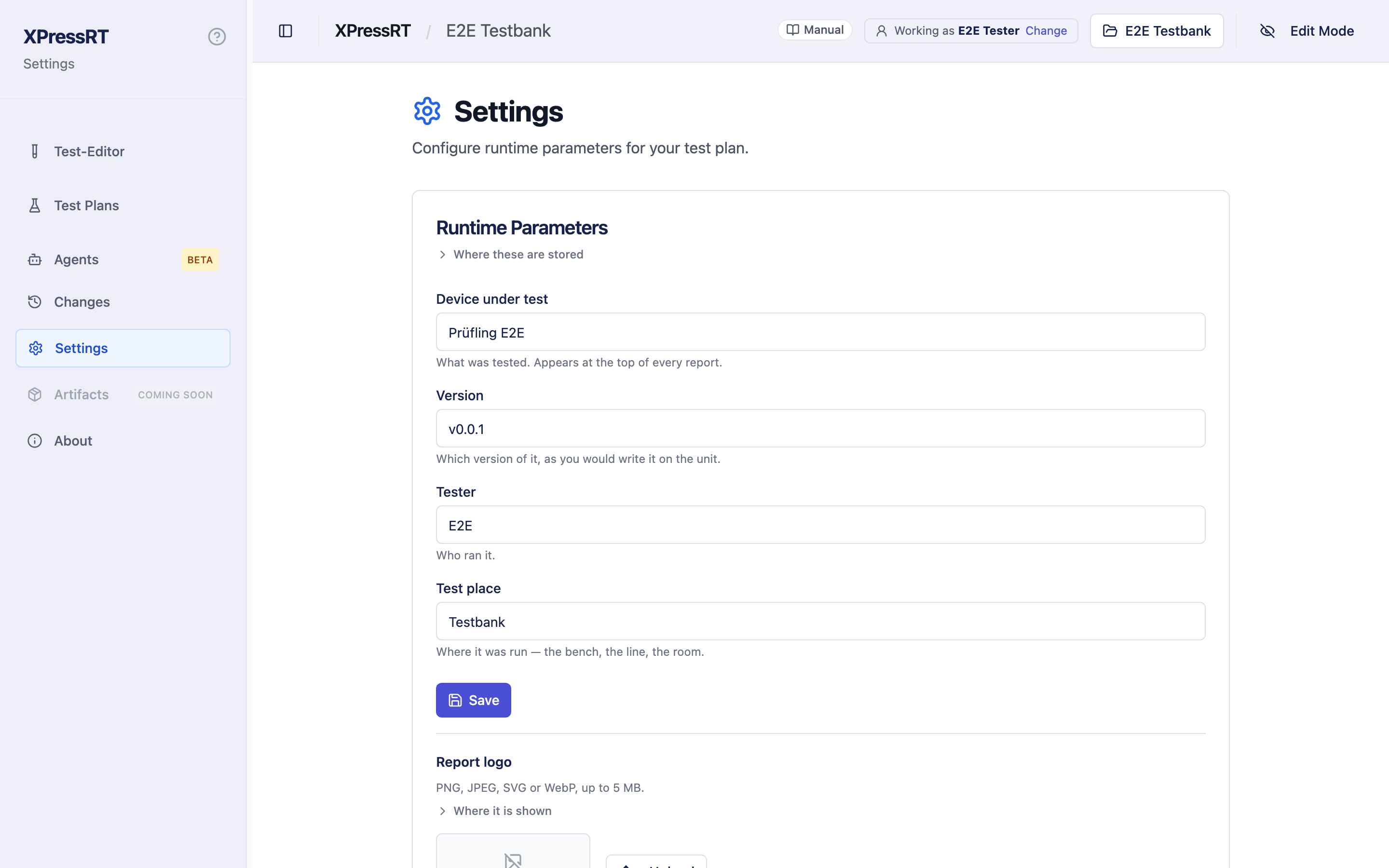
Settings holds what every run records about itself. Four fields, and they end up in every report the workspace produces:
| Field | Ends up as |
|---|---|
| Device under test | the name of the product being tested |
| Version | its version or revision |
| Tester | who ran it |
| Test place | where it was run — the bench, the line, the room |
They belong to the workspace, so they travel with it — a workspace handed to another bench arrives with the same fields filled in.
Set them once per bench, and change the version when the product changes. A report whose Version is wrong is worse than one without it, so it is worth a minute whenever the unit under test moves on.
The logo on the reports
Below the parameters you can upload a logo. It appears at the top of every run summary. PNG, JPEG, SVG or WebP, up to 5 MB, and it is stored in the workspace, so it travels with the tests.
Serial numbers
Serial numbers are not settings — they are asked for during the run by a Record a serial number step, once per procedure or once per test case, depending on how that step is configured. They land in the run's record and in the report, and they are the key by which a run can be traced back to the piece of hardware it was measured on.
The report also says where each number came from: entered by the operator,
set by the assistant in a dry run it answered, or given when the
run was started. A number a person read off the unit and one an assistant
typed look the same otherwise, and for a trace back to hardware that
difference matters. The run's run.json keeps the same thing as
serialNumberSources.
Assistant
Connecting an AI assistant — Claude, Copilot, Cursor — is not a setting: it has its own page, Assistant in the sidebar. Settings keeps a card that points there, with an Open Assistant button. The page shows whether an assistant is connected and what it did. See Working with an assistant.
Blocks
The Blocks card lists what a Python step can be built from, and which of this workspace's own blocks are approved. See Blocks of your own workspace.